Hikvision intercom for 5 apartments with Mifare support: how to set it up correctly

An intercom system is essential for apartment buildings: it provides security, convenience, and control, especially if you share a common front door with several residents. But which system should you choose if you want to serve five apartments and use Mifare cards for access control? In this article, we delve into the world of Hikvision intercom systems and show you step-by-step how to install a modern, future-proof system for five apartments with Mifare integration.
1. Why choose a Hikvision IP intercom?
Hikvision is the global market leader in video surveillance and access control. Hikvision's intercom systems are reliable, user-friendly, and modularly expandable. For apartment buildings, the brand offers perfectly scalable solutions—from a single apartment to dozens of units.
Benefits of Hikvision IP intercom systems:
-
Crystal clear video (HD resolution)
-
2-way audio with echo cancellation
-
App integration via Hik-Connect
-
Support for Mifare cards and tags
-
Modularly expandable (maximum 256 apartments)
-
Central power supply via PoE or 2-wire adapter
2. The basic structure for 5 apartments
For an installation with 5 apartments you need:
-
1 outdoor station (with camera, call buttons or touchscreen)
-
5 indoor stations (one per apartment)
-
1 switch or PoE distributor
-
Optional: Mifare card reader (sometimes integrated)
-
Access controller for door opening (relay or module)
Recommended outpost:
Hikvision DS-KD8003-IME1 (modular outdoor station)
-
Supports camera, audio communication, and modules
-
Expandable with doorbells, card reader, nameplates
Add modules:
-
DS-KD-KK : Module with 6 push buttons (ideal for 5 apartments + reserve)
-
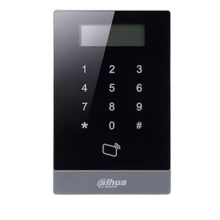
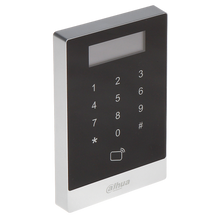
DS-KD-M : Mifare card reader module
Indoor post per apartment:
DS-KH6320-WTE1 (Touchscreen indoor station)
-
7" screen, Wi-Fi, wired or wireless
-
Integration with IP cameras, Hik-Connect app
3. Mifare cards: convenience and control
Mifare technology enables contactless opening of the front door with a card, tag, or key fob. Each resident receives a unique tag that can be easily managed from the indoor station or PC software.
Advantages:
-
Quick access without a code
-
Easily manage users
-
Cards can be revoked remotely if lost
The DS-KD-M module supports 13.56MHz Mifare cards and can be connected to access controllers or door opening relay modules.
4. Step-by-step installation
Step 1: Prepare wiring
-
Use UTP CAT6 cables for network connections (PoE)
-
For 2-wire systems, use Hikvision's special DS-KAD706 distribution module
Step 2: Mounting the outdoor station and modules
-
Mount the frame at eye level
-
Click modules in desired order: camera -> buttons -> Mifare
Step 3: Connecting internal stations
-
Connect to network via PoE switch or use power adapter
-
Link each screen to a specific apartment in the software
Step 4: Software Configuration
Use the free tool Hikvision iVMS-4200 or Batch Configuration Tool :
-
Assign IP addresses
-
Connect buttons to indoor stations
-
Register Mifare tags per user
-
Set schedules and access rights
Step 5: Test and document
-
Test the audio and video connection
-
Test card readers with tags
-
Record IP addresses and access rights in a user folder
5. App integration via Hik-Connect
All indoor stations are compatible with the Hik-Connect app (iOS/Android):
-
Get notifications from visitors
-
Open the door remotely
-
View live images from the intercom station or connected cameras
Every resident can use the app on their smartphone, linked to their own indoor unit. This way, everyone remains reachable, even when they're not home.
6. Security and privacy
A Hikvision intercom system also offers privacy and security features:
-
Privacy mode : Indoor stations cannot be disturbed temporarily
-
Secure access : Mifare cards can be protected with a password
-
Image log : Automatic snapshots when the doorbell rings
For even more security, you can connect the system to Hikvision NVRs or IP cameras in the building.
7. Frequently Asked Questions
Can I expand the system to include more apartments? Yes, up to 256 apartments using modular buttons or touchscreen modules.
What if someone loses their tag? You can easily block the specific Mifare tag via the software or the internal station.
Can I manage multiple doors? Yes, you can connect multiple outdoor stations or access modules and set access rights for each user.
Can the system be used offline? Yes, but the Hik-Connect features only work with an internet connection.
8. UMATECH tip: complete package for 5 apartments
At UMATECH, you can create a complete intercom package for five apartments. This includes:
-
1 modular outdoor station with camera, buttons and card reader
-
5 indoor stations with touchscreen
-
PoE switch or 2-wire adapter
-
Mifare tags (optionally numbered)
We also supply installation frames, back boxes, power modules and all cabling.
9. Summary
A Hikvision intercom system for five apartments is easily implemented with modular outdoor units, smart indoor units, and Mifare support. Each apartment has its own call button, screen, and access tag. Hik-Connect keeps residents reachable, even when away from home. With support for expansion, privacy settings, and easy installation, this system is ideal for small apartment buildings.
UMATECH – smart access, securely managed.