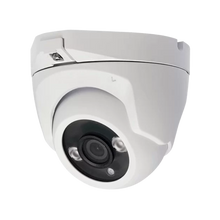
Which network cable do you use for cameras and intercoms? CAT5e vs. CAT6 vs. CAT7
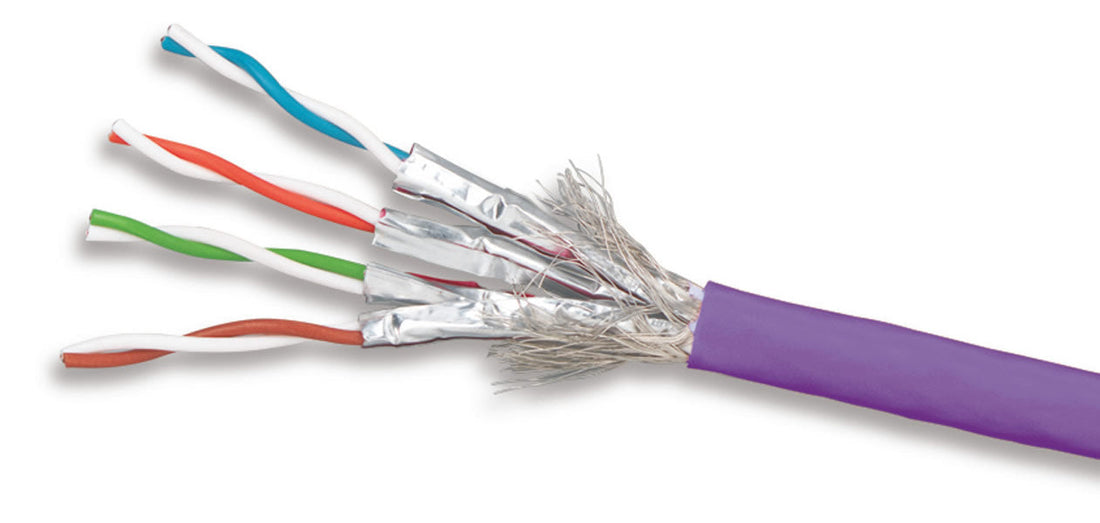
When installing IP cameras, intercoms, and network equipment, the right network cable is crucial for speed, reliability, and trouble-free operation. But what should you choose: CAT5e, CAT6, or CAT7? In this article, we explain the differences and help you choose the cable that best suits your application.
1. What do CAT5e, CAT6 and CAT7 mean?
'CAT' stands for Category – a standard that indicates how much bandwidth and speed a network cable can handle.
| Type | Speed | Frequency | Max. length |
|---|---|---|---|
| CAT5e | 1 Gbps | 100 MHz | 100 meters |
| CAT6 | 1 Gbps (up to 55m), 10 Gbps (up to 37m) | 250 MHz | 100 meters |
| CAT7 | 10 Gbps | 600 MHz | 100 meters |
2. What cable do you use for IP cameras?
Indoor up to 30 meters:
-
CAT5e is usually sufficient for 1 Gbps
Outside, between building and mast:
-
CAT6 or CAT6a FTP recommended (better shielded against interference)
Long distances or many cameras on PoE:
-
CAT6a or CAT7 for stability and less voltage drop
Always use solid core cables for permanent installation. Flexible (stranded) cables are for patch cords.
3. What is shielding (UTP, FTP, S/FTP)?
Interference (EMI) from power lines or motors can affect your network signal.
-
UTP (Unshielded Twisted Pair): no shielding
-
FTP (Foiled Twisted Pair): foil around all cores
-
S/FTP (Shielded + Foiled Twisted Pair): foil and braided sheathing, most resistant to interference
For outdoor use, next to power cables or in industrial environments: use at least FTP .
4. PoE and voltage drop
If you use PoE (Power over Ethernet), the thickness and quality of the cable are even more important:
-
Use CAT6 or CAT6a with PoE+ (30W) or PoE++ (60–90W)
-
Limit length to max. 80m for cameras with IR/zoom
-
Note AWG value: the lower, the thicker (AWG23 better than AWG26)
UMATECH supplies cables suitable for PoE up to 90 meters with the correct diameter.
5. Outdoor mounting: what should you pay attention to?
-
Use UV-resistant cables for outdoor use
-
Use cable conduits or spiral ducts for extra protection
-
Close with nipples or rubber grommets to prevent moisture
-
Preferably use prefabricated cables or crimp RJ45 with waterproof connectors
6. Common mistakes with network cables
| Wrong | Consequence | Solution |
| Use UTP outside | Moisture and malfunction | Use FTP or S/FTP, UV resistant |
| Too thin cables | Voltage drop with PoE | Use AWG23 solid CAT6 |
| Long cable without switch | Signal loss | Use PoE extender or switch between |
| No strain relief | Cable break during movement | Use nipples or brackets |
7. UMATECH supplies cables and more
At UMATECH you will find:
-
CAT5e, CAT6 and CAT6a cables on a roll or per meter
-
UV-resistant outdoor cables
-
FTP cables for low-interference installations
-
RJ45 plugs, waterproof couplings and wall bushings
-
Switches, PoE injectors and test equipment
We are happy to advise you on which cable is suitable for your project – from camera to intercom.
UMATECH – your connection starts here.