UniFi for Security Installations: An In-Depth Look for Professionals

Anyone who implements professional security solutions knows that everything hinges on the underlying network architecture . Cameras failing due to an overloaded switch, streams stuttering due to insufficient throughput, or a recorder lacking redundancy – these are classic examples of how a security system can be undermined.
UniFi offers an ecosystem that largely eliminates these bottlenecks: UniFi Protect as a central VMS solution, combined with a robust network foundation (switches, gateways, Dream Machines). For installers accustomed to working with separate VLANs, failover, and high availability, UniFi offers an attractive blend of simplicity and enterprise-grade concepts.
UniFi Protect in practice
UniFi Protect isn't a "standard NVR with a cloud portal," but a locally hosted video management system with IP integration. Important for installers:
- No recurring licenses – the TCO remains predictable
- Native PoE integration – direct provisioning from UniFi Switches
- Local storage-first – recording directly to UDM Pro/SE or NVR, optionally expandable with external HDD/SSD
- End-to-end encryption – from stream to storage
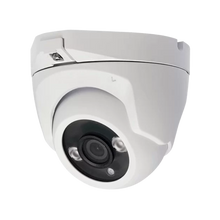
Protect cameras (G4/G5) support RTSP fallback for integration into third-party VMS or NVRs, but their power lies in their own ecosystem: one controller, one API, one app.
Dream Machine Pro/SE as core of the infrastructure
For security projects, the UDM Pro/SE is often the logical central node. From an installation perspective:
- Router + Firewall + IDS/IPS : UniFi OS integrates deep packet inspection and policy-based routing.
- Dual WAN : failover or load-balancing via dual ISPs, essential for critical monitoring.
- Protect NVR : Integrated storage (3.5″ HDD bay) with expandability.
- PoE+ on SE model : directly power cameras and intercoms without an additional switch.
For larger deployments, combine the UDM with dedicated UniFi PoE switches (8/16/24/48-port, ranging from PoE to PoE++ 802.3bt). Consider cameras with heater/fan modules or PTZs that draw more than 20W.
Network segmentation and security
In a time where IoT devices (cameras, intercoms, alarm sensors) are often the weakest link , you should not blindly place them in the same subnet as office networks or SCADA systems.
UniFi supports:
- VLAN segmentation per SSID/port : easily via the controller.
- Policy-based routing : limit traffic from IoT to the WAN, allowing only controller access.
- Firewall rules per VLAN : cameras only communicate with the NVR/Protect controller.
- Remote VPN management : Access video streams via IPsec or L2TP, without opening ports.
This makes UniFi particularly suitable for installers who want to protect customers from lateral attacks via IoT devices .
Storage and bandwidth planning
Professionals know: video storage is often the biggest pitfall. At UniFi:
- Protect calculates storage in real time : number of cameras × resolution × FPS × retention = required TB.
- UDM Pro/SE supports single-bay HDDs, expandable via external storage (UNVR up to 4-bay).
- Cameras scale to dozens simultaneously provided you plan your PoE budget and uplink (SFP+/10G) properly.
- Motion-based recording reduces storage consumption by >70% in low-activity environments.
For projects with 24/7 recording and high resolution (4K/30fps), we recommend at least 10Gb uplinks to storage and dedicated VLANs to prevent broadcast storms and jitter.
Edge cases: IoT integration
UniFi distinguishes itself by offering more than just network + cameras:
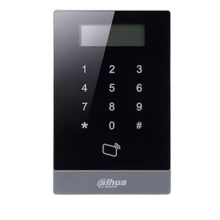
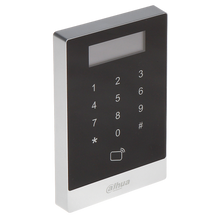
- UniFi Access – Access control via card readers and controllers, native PoE
- UniFi Talk – VoIP integration, less relevant in security but relevant in unified communications
- Third-party IoT – integration via RTSP, API and webhooks for connection to alarm systems or home automation
For advanced installers this means: one vendor, one OS, but with APIs to connect to existing infrastructure.
Best practices for installation
- Plan your PoE budget – count cameras, intercoms, readers, and access points, and choose switches with 30–50% margin.
- Strictly segment VLANs – separate cameras from admin and guest networks.
- Configure Dual WAN – with failover to 4G/5G for critical locations.
- Use SFP+ uplinks – for >20 cameras, especially 4K, 1Gb is a bottleneck.
- Logging & Monitoring – Enable UniFi Insight or syslog integration for proactive management.
Why UniFi at UMA-TECH?
- Security as a focus: we advise from a security-first approach, not just networking.
- Complete portfolio: Protect, Dream Machines, switches, APs and Access solutions.
- Competitive margins: competitive for installers bidding on projects.
- Technical support: assistance with PoE calculations, storage sizing, and VLAN configuration.
👉 View the UniFi range at UMA-TECH
Conclusion
For installers who no longer want to separate security and networking , UniFi is one of the most cohesive ecosystems on the market. With Protect as the video platform, Dream Machines as the controller and firewall, and switches/APs as the backbone, you can build a scalable, redundant, and secure infrastructure suitable for IoT-intensive environments.
No vendor lock-in on licenses, complete control over segmentation and storage, and an ecosystem that is scalable from small SMBs to enterprises – that is what makes UniFi unique.