How to Set Up an Electrical Enclosure – Safe, Tidy and Professional
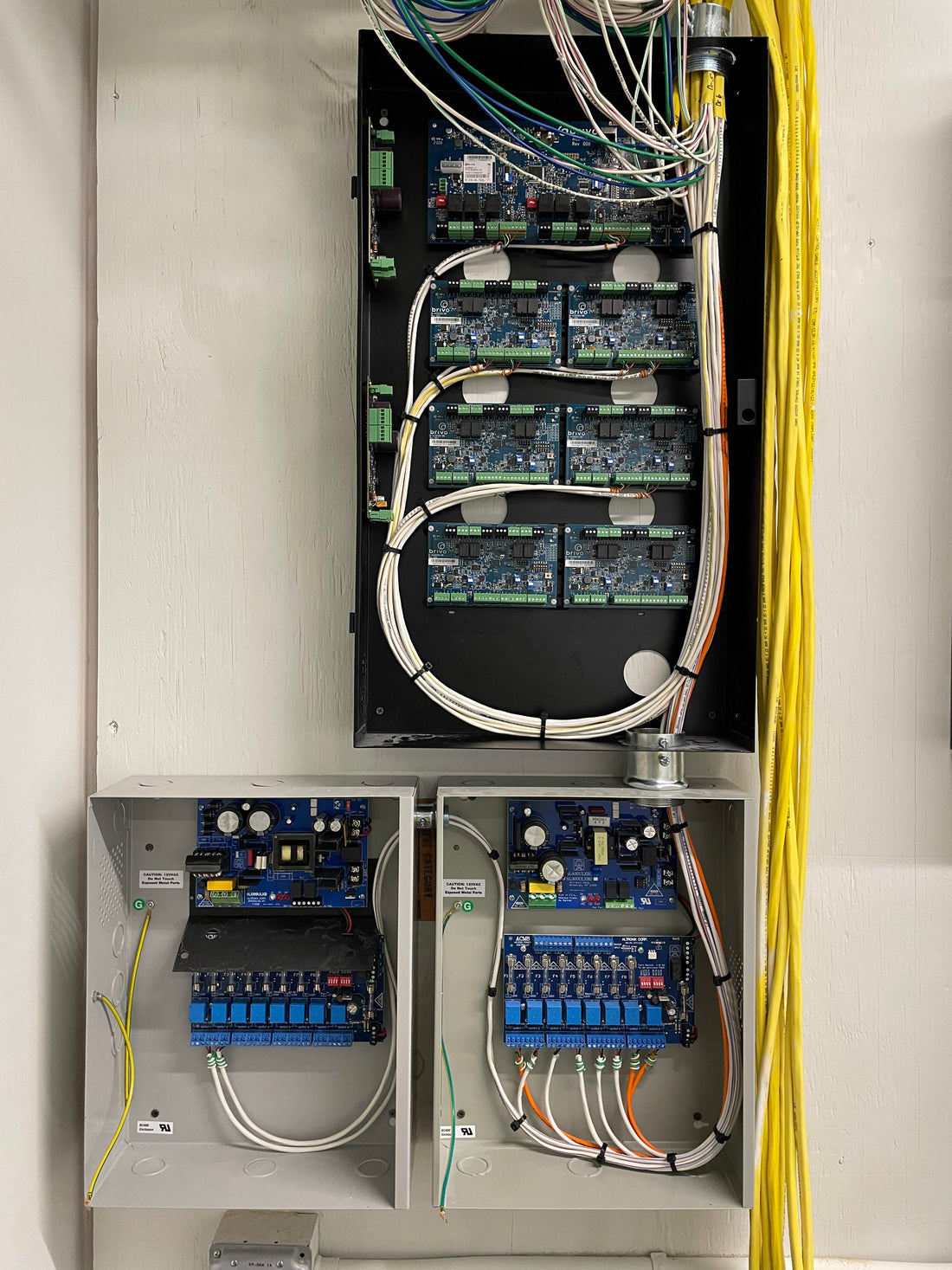
A well-organised enclosure is the heart of every installation. Whether you're setting up a network cabinet, mounting cameras or managing an off-grid system, a tidy enclosure ensures reliability, safety and easy maintenance. In this article we explain how to lay out an enclosure correctly and clearly using components from the UMATECH range.
1. Why a tidy enclosure matters
- Clarity: you can see at a glance what is connected where
- Easy maintenance: faults are traced faster
- Safety: prevents short circuits and fire hazards
- Professional appearance: for the customer, inspection bodies and yourself
A messy enclosure isn't just annoying – it's often a risk too.
2. Choosing the right enclosure
For indoor use you can choose between plastic and metal enclosures rated IP20–IP30. For outdoor use, IP65 is the standard. UMATECH offers, among other things, waterproof enclosures with DIN rails and cable glands.
Look out for:
- Space for DIN rails and cable management
- Options for ventilation or active cooling
- An installer-friendly layout (mounting plate, fixing holes)
3. Positioning and laying out components
Start with a plan:
- Sketch where the circuit breakers, power supplies, relays and modules will go
- Leave space between components for heat dissipation
- Group components logically (e.g. power, control, network)
DIN rail components:
- Miniature circuit breakers
- Power distribution blocks and power supplies
- Time relays, timer switches and modems
Use DIN rail blanking strips for spare positions or to cover gaps.
4. Cable management and labelling
Working neatly means working safely. Tips:
- Use cable glands (PG/M20) or cable entries with strain relief
- Label every cable (at both ends) with cable markers
- Use cable trunking or spiral wrap to bundle cables
- Connect power cables with splice connectors or WAGO terminals
Keep power cables separate from data lines to avoid interference.
5. Ventilation and cooling
Electronics generate heat. Especially with PoE switches, power supplies and inverters, the temperature can rise quickly.
Cooling tips:
- Fit ventilation grilles or 12 V/24 V fans
- Allow air to circulate by leaving space between components
- Avoid direct sunlight (especially for outdoor enclosures)
UMATECH also supplies custom ventilation kits for IP65 enclosures.
6. Common mistakes (and how to avoid them)
| Mistake | Consequence | Solution |
|---|---|---|
| Enclosure too small | Overheating, no room for expansion | Allow 30% extra space |
| No labelling | Confusion, incorrect connections | Label every cable and circuit breaker |
| Cables without glands | Moisture ingress, strain on cables | Use cable glands or strain relief |
| No fuse or circuit breaker | Danger in the event of a short circuit | Fit a fuse or circuit breaker for each power group |
7. UMATECH enclosures and accessories
We supply:
- IP65 enclosures in various sizes
- DIN rails, cable glands, circuit breakers, fans
- Patch panels and PoE power supplies
- Enclosures with mounting rails or mounting plates
We also supply pre-assembled kits and custom-built enclosures.
UMATECH – great installations start with a tidy enclosure.