Connecting an Anviz T5/M5 to an SC011 – What to Watch Out For

Connecting the Anviz M5/T5 to the SC011: the wiring explained
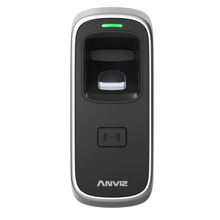
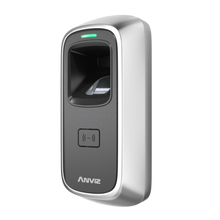
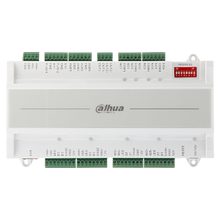
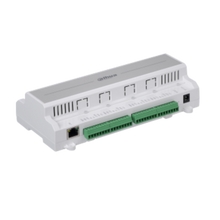
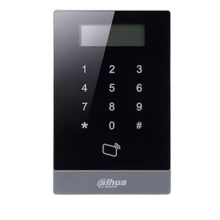
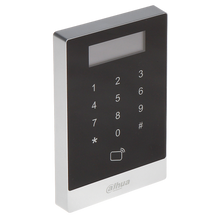
The Anviz SC011 is used with readers such as the M5 and the T5 Pro to control an electric lock more securely. The reader is mounted at the door, while the SC011 relay can be installed in a safer spot on the secure side.
When wiring it up, the key thing is getting the power and Wiegand wires onto the right terminals. A single wire in the wrong place can leave you with a reader that powers up while the SC011 or the lock doesn't respond properly.
Connecting the power supply
The SC011 runs on 12 V. On the left-hand side of the controller you'll find terminals including 12V-I, GND, NC, NO and COM.
According to the wiring diagram, both 12V-I and COM must be connected to +12 V. The negative of the power supply goes to GND. This powers the SC011 and allows the relay to switch the connected lock.
It's best to keep the power supply switched off while you wire everything up, and only test whether it all works afterwards.
Connecting the M5 or T5 to the SC011
The M5/T5 communicates with the SC011 over Wiegand. On the right-hand side of the SC011 you'll find the 12V-O, GND, D0 and D1 terminals for this.
According to Visiotech, pay attention to the following wire colours:
The dark blue wire goes to GND.
The green wire goes to D0.
The white wire goes to D1.
The reader is powered from the 12V-O and GND terminals of the SC011.
This part matters because D0 and D1 carry the data from the reader to the SC011. If these wires are swapped or end up on the wrong terminal, the devices won't communicate properly.

Connecting the electric lock
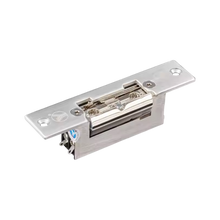
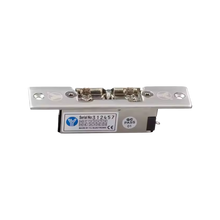
The relay side of the SC011 has NC, NO and COM terminals. Which one you use depends on the type of electric lock.
The Visiotech wiring diagram shows two options: a lock that opens when power is removed (fail safe) and a lock that needs power to open (fail secure). So check which type of lock you're using first, then choose the matching relay output.
Don't simply connect NC or NO without knowing how the lock works. That way you avoid a door that behaves exactly the opposite of what you intended.

Connecting an exit button
The right-hand side of the SC011 also has GND and BUT terminals. This is where you can connect an exit button.
The button is wired between GND and BUT. When it's pressed, the SC011 receives the signal to switch the relay, so the door can be opened from the inside.
Test everything before you finish the installation
Once all the cables are connected, it's wise to test the installation before you close the cable trunking or mount everything permanently.
First check that the M5 or T5 is getting power. Then test whether a valid card or fingerprint is recognised, and check that the SC011 actually switches the electric lock. Finally, test the exit button as well.
If something doesn't work, check the power supply first and then the Wiegand connections. GND, D0 and D1 in particular are worth going over again.
Wired correctly, the M5 or T5 combined with the SC011 makes a neat access control solution. By wiring everything step by step and testing as you go, you avoid having to trace every cable again afterwards.