Hikvision Intercom for 5 Apartments with MIFARE Support – How to Set It Up Correctly

A good intercom system is essential in an apartment building where several residents share the same front door. Every resident needs to be able to see who is ringing and open the door from their own apartment.
Need a system for five apartments that also uses MIFARE tags for access control? With Hikvision's modular IP intercom system, you can combine different components into a single installation.
1. The basic setup for five apartments
For an installation with five apartments, you will basically need:
- one door station with a camera;
- a call button module with enough push buttons;
- five indoor monitors, one per apartment;
- a MIFARE card reader if residents need to get in with a card or tag;
- a suitable network switch or PoE solution;
- the necessary network cabling and mounting hardware.
The advantage of a modular system is that you don't have to buy an all-in-one door station with features you won't use. You can put the camera, call buttons and card reader together separately.
2. The door station: Hikvision DS-KD8003-IME1
You can use the Hikvision DS-KD8003-IME1 as the basis for the door station.
This is the camera module of Hikvision's modular intercom system. The door station handles the video and audio connection to the indoor monitors and can be expanded with additional modules.
For five apartments that's convenient, because alongside the camera module you can fit, for example, a separate push-button module and a MIFARE reader.
3. Six push buttons for five apartments
For the call buttons, you can use the Hikvision DS-KD-KK.
This module has six push buttons. In a building with five apartments you can use five of them, so each apartment gets its own call button.
The module is installed together with the camera module in the modular door station.
4. Access with MIFARE cards and tags
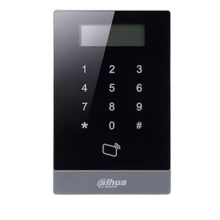
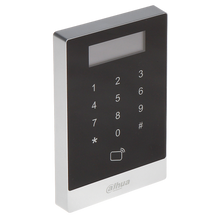
If residents should be able to open the shared front door without a key, you can add the Hikvision DS-KD-M to the system.
This module is designed for MIFARE cards and tags at 13.56 MHz. Each resident can be given their own card or tag, which is enrolled in the system.
This is also useful if a tag gets lost: you simply remove that user from the system, without having to replace a mechanical lock, for example.
UMATECH also stocks a range of MIFARE tags and access cards that can be used with access control systems.
5. One indoor monitor per apartment
Each apartment gets its own indoor monitor. You can use the Hikvision DS-KH6320-WTE1, for example.
This indoor monitor has a 7-inch touchscreen and supports both a wired network connection and Wi-Fi. When someone rings downstairs, the resident can see on the screen who is at the entrance, talk to the visitor and open the door if they wish.
So for five apartments you need five indoor monitors.
6. Preparing the network and PoE
With an IP intercom, all components communicate over the network. So use suitable Ethernet and network cables to connect the door station, the indoor monitors and the network.
Several Hikvision components support Power over Ethernet. With PoE, power and network data run through the same cable.
Check in advance how many PoE ports you need and how much power the connected devices draw. In our switches category you can choose a suitable network switch for the installation.
7. Mounting the modules
At the entrance, the modules are installed together in a suitable mounting frame or a surface-mount or flush-mount enclosure.
For this installation, the door station consists of, for example:
- the DS-KD8003-IME1 camera module;
- the DS-KD-KK push-button module;
- the DS-KD-M MIFARE reader.
Think carefully about where to position the door station. The camera must capture visitors clearly, and the buttons and card reader need to be easy to reach.
8. Configuring the indoor monitors
Once everything is connected, the five indoor monitors need to be linked to the correct apartments and call buttons.
Each device gets its own position on the network. So first check that the door station and all indoor monitors can be reached before you start setting up users.
After that, you can assign which call button belongs to which indoor monitor for each apartment.
9. Adding MIFARE tags
Once the MIFARE reader is connected, you can assign tags or cards to residents.
Ideally, give each resident their own tag. That keeps management simple, and a lost card can be removed on its own without changing any other resident's tags.
After adding the users, test each tag individually at the door station.
10. Test everything before finishing the installation
Test the complete system before you permanently close all enclosures, frames and cable trunking.
Check that:
- each call button rings the correct indoor monitor;
- video and audio work properly;
- the door can be opened from every indoor monitor;
- all MIFARE tags are recognised;
- all devices stay reliably reachable over the network.
Also check that the names or apartment numbers are next to the right push buttons.
11. Expanding later
One advantage of a modular system is that you can add or replace components later without rebuilding the entire installation.
Think of extra indoor monitors, a different access reader or additional intercom components if the building's needs change.
In our intercoms & doorbells category you'll find the door stations, indoor monitors and installation parts you can use for this.
Summary
For a Hikvision intercom installation with five apartments, you can combine the DS-KD8003-IME1 camera module with the DS-KD-KK push-button module and the DS-KD-M MIFARE reader. Each apartment then gets its own DS-KH6320-WTE1 indoor monitor.
By planning the network cabling, PoE power, call buttons and access cards in advance, you end up with a clear, well-organised system in which every resident has their own indoor monitor and access credential.
UMATECH – smart access, securely sorted.