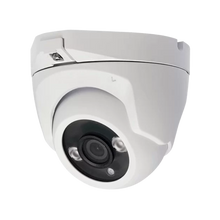
Security Cameras – The Complete Guide for Home vs Business

Security cameras for your home and for commercial premises may look similar, but the choices are different. At home you want an overview and convenience; for a business it's about continuous recording, more cameras and remote management. In this guide we explain the differences so you can choose a camera system that fits your situation.
Home or business: what is the use case?
For home camera surveillance it's usually about the front door, driveway, garden and the back of the house. A home camera system with two to four cameras and a recorder is often enough. A business adds requirements: more cameras, longer footage retention, coverage of tills, warehouse or car park, and often access for several people. The basics are the same; the scale and reliability differ. If you're mainly interested in outdoor cameras, read our guide to choosing an outdoor security camera.
Key specifications explained
A few factors determine the quality of your camera security:
- Resolution: 4 MP is a good balance for most situations; 8 MP (4K) gives more detail at longer distances.
- Recording: a recorder (NVR) records continuously. Expect to need more storage as you add cameras and want longer retention.
- Connection: PoE (wired) is the most stable; Wi-Fi is quicker to install but more sensitive.
- Night vision: infrared (IR) or colour night vision for usable images in the dark.
Recommended layout and installation tips
At home, cover the access routes: front door, driveway and the rear. For a business, add tills, entrance and exit, warehouse and car park. Mount cameras high enough to prevent them from being turned away, but low enough to recognise faces. An IP camera with PoE needs only a single network cable; for a business with many cameras, a wired network with a recorder is the most reliable option. If you're running many cameras on a business network, read why VLANs are essential for a secure camera system and how to stop cameras from slowing down your network.
Common mistakes
Typical mistakes: choosing too little storage so older footage is overwritten too quickly, mounting cameras too high so you only see the tops of heads, or filming too much of the public road. Work out in advance how many days of footage you want to keep and choose your storage and resolution accordingly.
Which products and kits are a good fit?
For a quick start, a complete package is handy: take a look at our camera kits with cameras and a recorder in one box. You'll find individual cameras, recorders and accessories in our security cameras collection. For extra storage capacity, check out the recorders. Not sure how many cameras or which type you need? Send us your situation via WhatsApp and we'll help you decide.
Frequently asked questions
What is the difference between PoE and Wi-Fi security cameras?
PoE carries power and data over a single network cable and is the most stable option for continuous recording, making it ideal for businesses. Wi-Fi is quicker to install because you don't need to run cables, but it is more sensitive to a weak signal. For a home camera system with just a few cameras, Wi-Fi can be perfectly adequate.
How many security cameras do I need?
Plan on one camera per important zone. At home that's often the front door, driveway and back garden, so two to four cameras. A business quickly needs more because of tills, warehouse and car park. Not sure? Send us your floor plan or situation via WhatsApp and we'll recommend the right number.
Where am I allowed to place a camera under the GDPR (AVG)?
You may film your own home, property or business premises, but keep the public road and other people's property out of view as much as possible. Use the field of view or a privacy mask to record only your own area, and make it clear that cameras are in use. That way you stay within the rules.
How long can I keep camera footage?
That depends on the storage in your recorder, the number of cameras and the resolution. More cameras and higher resolution require more space. For home use, a week or two is often enough; businesses often choose a longer period. Choose the hard drive size based on the retention period you want.
Can a home camera system be expanded later?
Yes, as long as your recorder has enough free channels. If you buy a kit now with, for example, an eight-channel recorder while using four cameras, you can easily add more later. Keep this in mind when buying if you expect to expand.
Do security cameras work without internet?
Yes, a system with a recorder records locally, even without internet. If you want notifications on your phone or remote viewing, you do need an internet connection. So choose based on whether you only want to record or also want to view remotely.